impostazione luminosità iMac20: si perde al reboot
impostazione luminosità iMac20: si perde al reboot
Ogni volta che accendo l'iMac 20, imposto la luminosità al minimo, ma poi alla successiva riaccensione me la ritrovo di nuovo a livelli alti.
Come dire ad iMac di mantenere sempre la luminosità al minimo?
Come dire ad iMac di mantenere sempre la luminosità al minimo?
-
flashcream

- Posts: 38388
- Joined: Fri Apr 22, 2005 8:41 pm
-
flashcream
- Posts: 38388
- Joined: Fri Apr 22, 2005 8:41 pm
verifica se il trick ha successo in attesa dell'agg. correttivo.A "work-around" has been suggested by Apple:
If you wish to reduce the screen intensity to minimum and have that lower intensity be maintained after a restart, the trick is to reduce intensity by using F1, but leave just 1 bar showing on the intensity graph! The important consideration is to leave that single bar illuminated. I've tried it, and it works. When the iMac is "restarted," the previous illumination is maintained. This applies only to OS X 10.5.8.
Apple acknowledges that this is just a temporary solution. This very minor bug will be corrected in the next update.
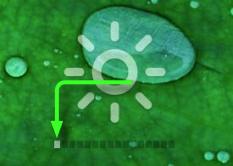
1 bar trick
Grazie Flashcream,
il trick di lasciare una tacca funziona e mi accontento.
il trick di lasciare una tacca funziona e mi accontento.