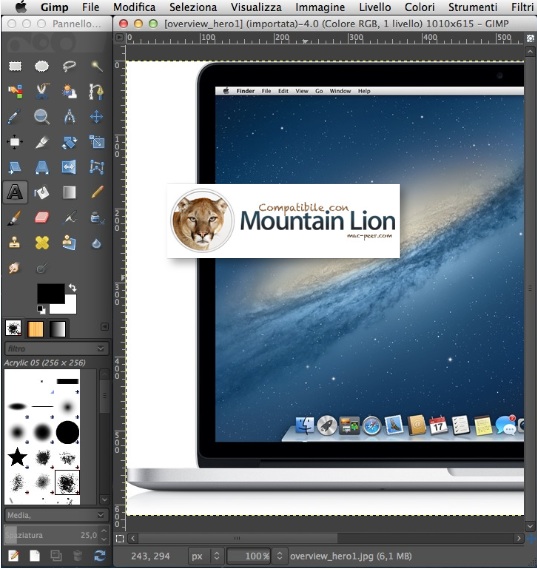
Gimp
-
Votantonio
- Oracolo di Mac Peer
- Posts: 4094
- Joined: Tue May 13, 2008 3:30 am
GIMP - 2.6.8p2
What's new in this version:
fixed the sort order bug in the filechooser on SL systems. :-) Patch is reported to upstream GLIB.
re-added the twain plugin. I removed this because it didn't work on my system, running 64 bit SL. But the reason was, that the twain driver of my scanner (Canon 4400F) still is 32 bit only. If your twain driver is 64 bit, the twain plugin will work. For Canon users there is the macfile-gimp plugin which now uses Image Capture to get access to scanners and digital cameras. If you select GIMP as the app to which Image Capture will send its images, this should work on Canon scanners too, since Image Capture supports Canon scanners.
added the dds plguing to load and save dds files.
added wavelet denoise plugin. This gives very good results because you can adust each componet (r,g,b or Y, Cb, Cr) separately and it's really very fast. Now there are two noise reduction plugins: GREYCstoration and wavelet-denoise.
Requirements:
Mac OS X 10.6 or later.
What's new in this version:
fixed the sort order bug in the filechooser on SL systems. :-) Patch is reported to upstream GLIB.
re-added the twain plugin. I removed this because it didn't work on my system, running 64 bit SL. But the reason was, that the twain driver of my scanner (Canon 4400F) still is 32 bit only. If your twain driver is 64 bit, the twain plugin will work. For Canon users there is the macfile-gimp plugin which now uses Image Capture to get access to scanners and digital cameras. If you select GIMP as the app to which Image Capture will send its images, this should work on Canon scanners too, since Image Capture supports Canon scanners.
added the dds plguing to load and save dds files.
added wavelet denoise plugin. This gives very good results because you can adust each componet (r,g,b or Y, Cb, Cr) separately and it's really very fast. Now there are two noise reduction plugins: GREYCstoration and wavelet-denoise.
Requirements:
Mac OS X 10.6 or later.
-
Padmé Amidala

- Posts: 7607
- Joined: Sun Apr 15, 2007 1:14 am
Version 2.6.9:
update to UFRaw 0.17. The main new new feature with this release is lens distortion corrections using the lensfun library. For more information see the UFRaw website http://ufraw.sourceforge.net
updated many of the underlying libraries: GTK+ 2.20, GLIB 2.24, Cairo 1.8.10, pango 1.28
update to UFRaw 0.17. The main new new feature with this release is lens distortion corrections using the lensfun library. For more information see the UFRaw website http://ufraw.sourceforge.net
updated many of the underlying libraries: GTK+ 2.20, GLIB 2.24, Cairo 1.8.10, pango 1.28
-
Padmé Amidala
- Posts: 7607
- Joined: Sun Apr 15, 2007 1:14 am
-
Padmé Amidala
- Posts: 7607
- Joined: Sun Apr 15, 2007 1:14 am
2.6.11
Nessuna nuova funzione, solo bug risolti.
* Bugs fixed:
631199 - Printing and Print preview broken with cairo 1.10
572865 - Parasite handling had problems and can cause crashing
628893 - Error with string-append and gimp-drawable-get-name
623850 - (Paco) Recursive Gaussian Filter error
624487 - Fix incorrect "wrap mode" documentation values in Edge plug-in
557380 - Difference of Gaussians gives blank doc if "Invert" selected
627009 - Image type filter doesn't include .rgba SGI files
626020 - Console window opening on file-ps-load
624698 - Wood 1 and Wood 2 have bad alpha value
624275 - Image saved from google docs generates a
'gimp-image-set-resolution' error message
* Updated translations:
German (de)
Spanish (es)
Italian (it)
Japanese (ja)
Romanian (ro)
Chinese (Hong Kong) (zh_HK)
Chinese (Taiwan) (zh_HK)
http://sourceforge.net/projects/gimponosx/files/
Nessuna nuova funzione, solo bug risolti.
* Bugs fixed:
631199 - Printing and Print preview broken with cairo 1.10
572865 - Parasite handling had problems and can cause crashing
628893 - Error with string-append and gimp-drawable-get-name
623850 - (Paco) Recursive Gaussian Filter error
624487 - Fix incorrect "wrap mode" documentation values in Edge plug-in
557380 - Difference of Gaussians gives blank doc if "Invert" selected
627009 - Image type filter doesn't include .rgba SGI files
626020 - Console window opening on file-ps-load
624698 - Wood 1 and Wood 2 have bad alpha value
624275 - Image saved from google docs generates a
'gimp-image-set-resolution' error message
* Updated translations:
German (de)
Spanish (es)
Italian (it)
Japanese (ja)
Romanian (ro)
Chinese (Hong Kong) (zh_HK)
Chinese (Taiwan) (zh_HK)
http://sourceforge.net/projects/gimponosx/files/

Con la versione 2.8 Per Mountain Lion, Gimp è finalmente un'applicazione nativa per Mac. E non richiede più X11.
Le versioni di Gimp per Mac:
Mac OS X 10.8.x Mountain Lion - native, no X11/XQuartz
Mac OS X 10.6.x Snow Leopard & 10.7.x Lion - still uses XQuartz
Mac OS X 10.5.x Leopard - still uses X11
Mac OS X 10.4.11 Tiger - still uses X11